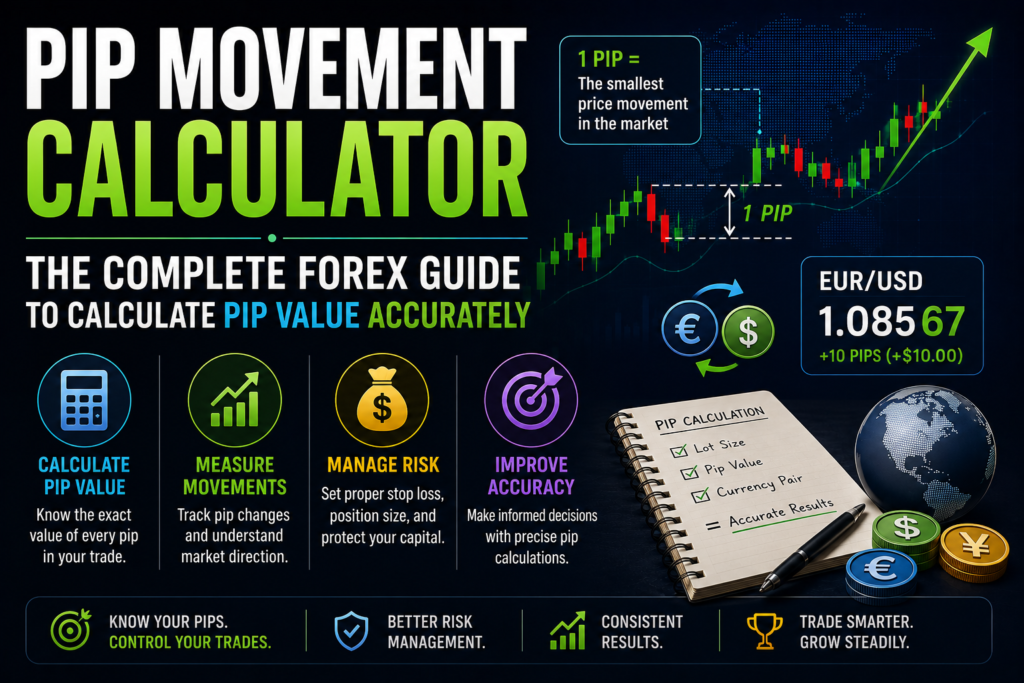


Forex trading rewards precision, and precision starts with knowing exactly what a price movement is worth before you act on it. The Myfxbook pip calculator exists for exactly that purpose — a free, analytics-backed tool that turns raw pip movement into a real currency figure, so trade decisions are built on numbers instead of estimates.
This guide walks through what the calculator actually does, how to run it correctly step by step, the math running behind the interface, and how it fits into the broader Myfxbook toolkit.
Why Pip Awareness Comes First
Before touching the calculator itself, it helps to understand the unit it’s built around. A pip — short for percentage in point — is the smallest standardized price change recognized in a currency pair. Most pairs measure a pip at the fourth decimal place (0.0001); pairs involving the Japanese yen use the second decimal instead (0.01).
If EUR/USD moves from 1.1000 to 1.1010, that’s a 10-pip shift. On its own, though, that number is directionless — it doesn’t tell you what the move was worth in real money. That figure, the pip value, depends on three things: the specific currency pair, your trade size, and your account’s base currency. Working that out by hand every time is exactly the kind of repetitive, error-prone task a dedicated calculator is built to eliminate.
What Myfxbook Actually Is
Myfxbook has built a reputation since 2009 as a trusted forex analytics platform, letting traders connect live accounts and review performance data in detail. Beyond account tracking, it offers a suite of calculation tools traders lean on daily, including:
- Pip calculator
- Position size calculator
- Margin calculator
- Fibonacci calculator
- Risk-of-ruin calculator
- Profit calculator
Of that set, the pip calculator tends to be the one traders reach for most often — largely because pip value underpins nearly every other risk decision that follows it.
What the Calculator Actually Does
At a functional level, the Myfxbook pip calculator takes a handful of inputs and returns one clear output: the monetary value of a single pip, expressed in your account’s currency.
Inputs it needs:
- Currency pair — whichever pair you’re trading, e.g., EUR/USD or GBP/JPY
- Trade size — expressed in units, mini lots, or standard lots
- Account currency — the base currency your trading account is denominated in
- Price rate — pulled automatically from live data, or entered manually if you’re testing a scenario
Output it returns:
- Pip value — how much a single pip is worth in your account’s base currency
As a quick illustration: trading one standard lot (100,000 units) of EUR/USD with a USD-denominated account, a single pip movement (0.0001) typically works out to about $10. The calculator arrives at that figure instantly, without you needing to run the formula by hand.
Using the Myfxbook Pip Calculator: Step by Step
Step 1 — Open the calculator. Navigate to the Myfxbook platform and locate the pip calculator under the “Calculators” section.
Step 2 — Choose your currency pair. Select whichever pair you’re actually trading — USD/JPY, GBP/USD, or any other listed pair.
Step 3 — Enter your trade size. Input the lot size or unit count you intend to trade. This is the input that scales your final pip value the most directly.
Step 4 — Set your account currency. Choose from the available list — USD, EUR, GBP, and others — so the result reflects your actual account rather than a generic figure.
Step 5 — Click calculate. The tool immediately returns the monetary value per pip in your account’s currency.
Once you have that number, trade planning becomes considerably more concrete. Setting a stop-loss at 25 pips, for example, now translates directly into a specific dollar (or euro, or pound) risk figure based on your trade size and the pip value you just calculated — rather than a distance on a chart with an unclear financial consequence.
The Math Running Behind the Interface
Even though the calculator automates everything, understanding the underlying formula sharpens your ability to sanity-check its output. The general structure is:
Pip Value = (One Pip in Decimal Form × Trade Size) ÷ Exchange Rate
For USD-based pairs, this typically lands around $10 per pip on a standard lot — though the exact figure shifts depending on the specific pair’s volatility and base-currency combination. Because the calculator pulls current market rates, the value it returns reflects live conditions rather than a static, potentially outdated estimate.
Connecting the Pip Calculator to the Rest of the Toolkit
The real strength of Myfxbook isn’t any single calculator in isolation — it’s how the tools work together as a connected system. The pip calculator pairs naturally with:
Position size calculator. Once you know your pip value, feeding it into this tool helps determine the lot size that actually matches your account balance and chosen risk percentage.
Risk calculator. This helps quantify exactly how much capital you’re putting on the line for a given trade, building directly on the pip figure you’ve already calculated.
Margin calculator. This works out the exact margin required to open a position, factoring in your leverage settings alongside the trade size you’re planning.
Used together rather than individually, these tools form something closer to a complete pre-trade workflow — pip value feeding into position size, position size feeding into margin requirements, all grounded in the same underlying numbers.
What You Actually Gain From Using It
Beyond the basic calculation, consistent use of the tool brings a handful of concrete benefits:
Sharper risk management. You know precisely how much you stand to gain or lose per pip before a trade is even open.
Better trade planning. Lot size, account balance, and risk threshold all get considered together rather than estimated separately.
Multi-currency flexibility. Pip values calculate correctly regardless of which currency your account happens to be denominated in.
Live market accuracy. Because the tool draws on current rates, results reflect actual trading conditions rather than a rough approximation.
Professional-grade reliability. The same calculation logic serves both retail traders sizing a single position and institutional users running larger, more complex books.
Put simply: using the calculator consistently shifts trading decisions from something closer to a guess toward something grounded in consistent, repeatable numbers.
A Practical Habit Worth Building

Getting real value out of the Myfxbook pip calculator depends less on any single calculation and more on pairing it consistently with a genuine risk management approach. The pip value on its own is just a number — its usefulness comes from applying it to position sizing and to setting stop-loss and take-profit levels that are proportionate to how much you’re actually willing to risk.
Combined regularly with the position size and margin calculators, this habit does something subtle but important: it removes the space where emotional, in-the-moment decisions tend to creep in. A trader working from a calculated risk-reward ratio is making a fundamentally different decision than one reacting to a chart in real time — and that difference compounds meaningfully over dozens or hundreds of trades.
Common Mistakes to Avoid When Using the Calculator
Even a fully automated tool can produce misleading numbers if the inputs feeding it aren’t accurate. A few errors show up repeatedly:
Selecting the wrong pip convention without realizing it. JPY pairs use a second-decimal pip (0.01) instead of the fourth-decimal convention (0.0001) used by most majors. If you’re manually cross-checking the calculator’s output and apply the wrong decimal assumption, your sanity check will look “wrong” even though the tool itself is correct — so it’s worth knowing which convention applies to the pair you’re trading before comparing numbers.
Forgetting to update account currency. It’s easy to leave the account currency field on a default setting rather than your actual trading currency, which produces a pip value that looks plausible but doesn’t reflect what you’d actually gain or lose. Always confirm this field matches your real account before trusting the output.
Entering the wrong lot size format. Some traders think in units (100,000, 10,000, 1,000) while others think in lot notation (1.0, 0.1, 0.01). Mixing these up produces results that are off by a factor of ten or more — worth double-checking, especially if a number looks unexpectedly large or small.
Using a manually entered rate that’s gone stale. The calculator’s manual price-rate field is useful for testing hypothetical scenarios, but if you’re planning a live trade, always let it pull the current market rate automatically rather than reusing a number from an earlier session.
Treating pip value as fixed across a trading day. Because pip value is a function of the live exchange rate, it shifts as the market moves — sometimes meaningfully during high-volatility sessions. Recalculating before entering a trade, rather than relying on a value checked hours earlier, keeps your risk figures accurate.
Building a Simple Pre-Trade Routine Around It
The calculator delivers the most value when it becomes a fixed step rather than an occasional check. A workable routine looks something like this:
- Decide your maximum dollar risk for the trade — typically a fixed percentage of your account balance, decided in advance rather than in the moment.
- Run the pip calculator for your intended pair and account currency to get a current pip value.
- Set your stop-loss distance in pips, based on chart structure or volatility rather than an arbitrary round number.
- Multiply pip value by your stop-loss distance to see your actual dollar risk, then adjust lot size using the position size calculator until that figure matches your predetermined risk limit.
- Confirm margin requirements using the margin calculator so you know the trade is comfortably within your available capital, not just technically permitted by your leverage.
Followed consistently, this sequence turns what might otherwise be a handful of separate, easy-to-skip mental estimates into a single, repeatable five-minute process — one that scales just as well whether you’re placing one trade a day or managing several open positions at once.
Frequently Asked Questions
What is the Myfxbook pip calculator? It’s a free tool that calculates the monetary value of a single pip for any forex currency pair, based on your trade size and account currency — giving traders a precise basis for setting risk parameters.
How do I use the Myfxbook pip calculator? Enter the currency pair you’re trading, your trade size in lots or units, and your account’s base currency. The calculator automatically returns the exact pip value using current exchange rates.
Why does pip value knowledge matter so much? It lets you quantify potential profit or loss per pip movement precisely, which is the foundation for accurate position sizing and for setting stop-loss and take-profit levels that actually correspond to real risk.
Does the calculator support different account currencies? Yes — it works across USD, EUR, GBP, JPY, and other major account currencies, making it usable for traders operating from virtually anywhere.
Can I calculate pip values for different lot sizes? Yes. Standard, mini, micro, or custom lot sizes are all supported, with the resulting pip value scaling accordingly.
Final Thoughts
The Myfxbook pip calculator has earned its place as a genuinely essential tool for forex traders precisely because it removes a calculation that’s easy to get wrong under time pressure and turns it into something instant and reliable. Whether you’re new to trading and still building intuition for what a pip is actually worth, or an experienced trader managing multiple positions across different pairs, running your numbers through this calculator — and pairing the result with the position size and margin tools alongside it — brings a level of precision to trade planning that manual calculation simply can’t match consistently.
This article is for educational purposes only and does not constitute financial advice. Trading forex involves substantial risk — always do your own research before entering a position.